The cockpit
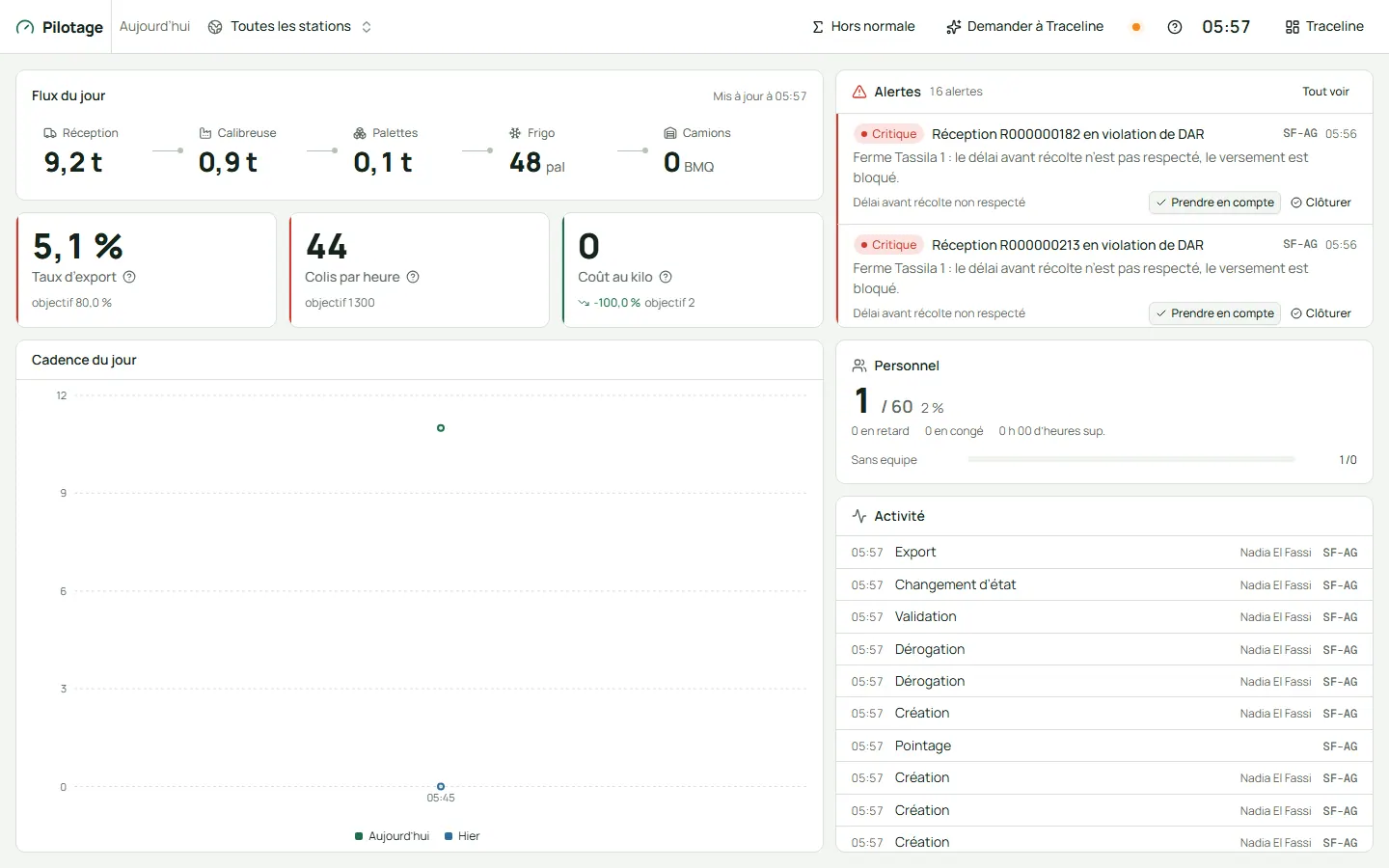
The day’s flow line shows the tonnes received, graded and palletised, the pallets in the cold rooms and the trucks loaded. Around it: the export rate, boxes per hour, cost per kilo, the people present and the latest activity.
Traceline is the software that runs a fruit and vegetable packing station. It records the weight of everything that comes in, labels what you pack, keeps your cold rooms and your people in order, and shows the owner the whole day on one line.
Follow the fruit from the farm to the customer. At each step, Traceline does the paperwork and prints the label, so your team keeps its hands on the fruit.
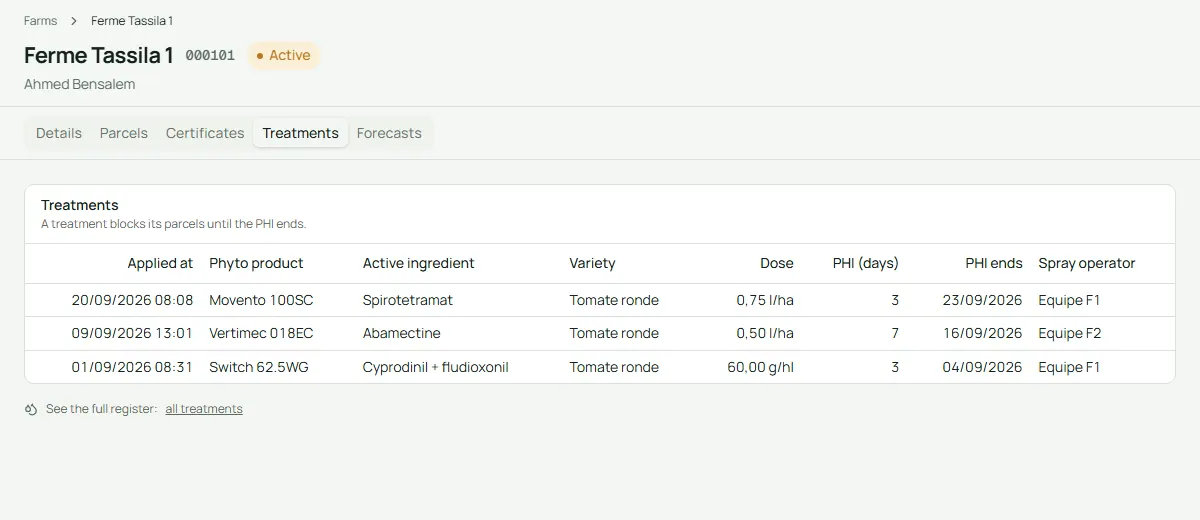
000101
Every grower, farm and parcel is on file, with certificates and the sprays applied. If a spray’s waiting period is not over, the fruit cannot go on the line.
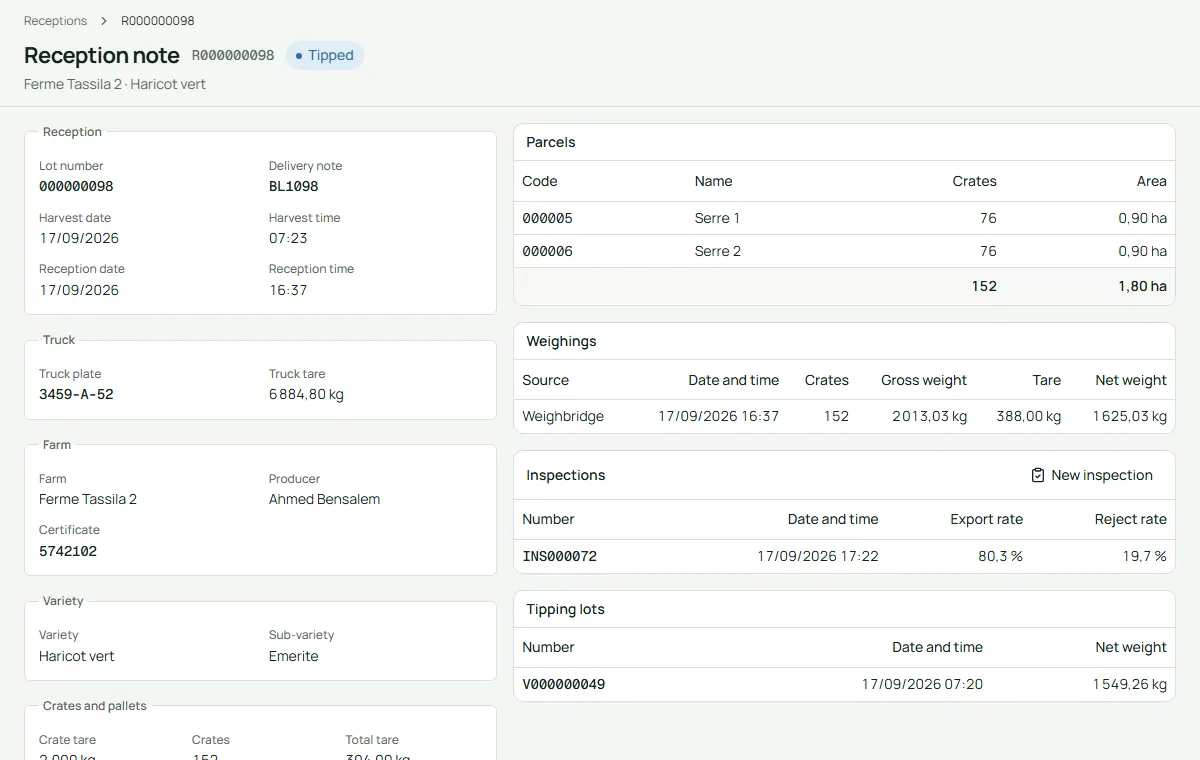
R000090072
The truck drives onto the weighbridge, the operator types the weight shown on the scale, and the reception note prints with its barcode. Traceline works out the net weight for you.
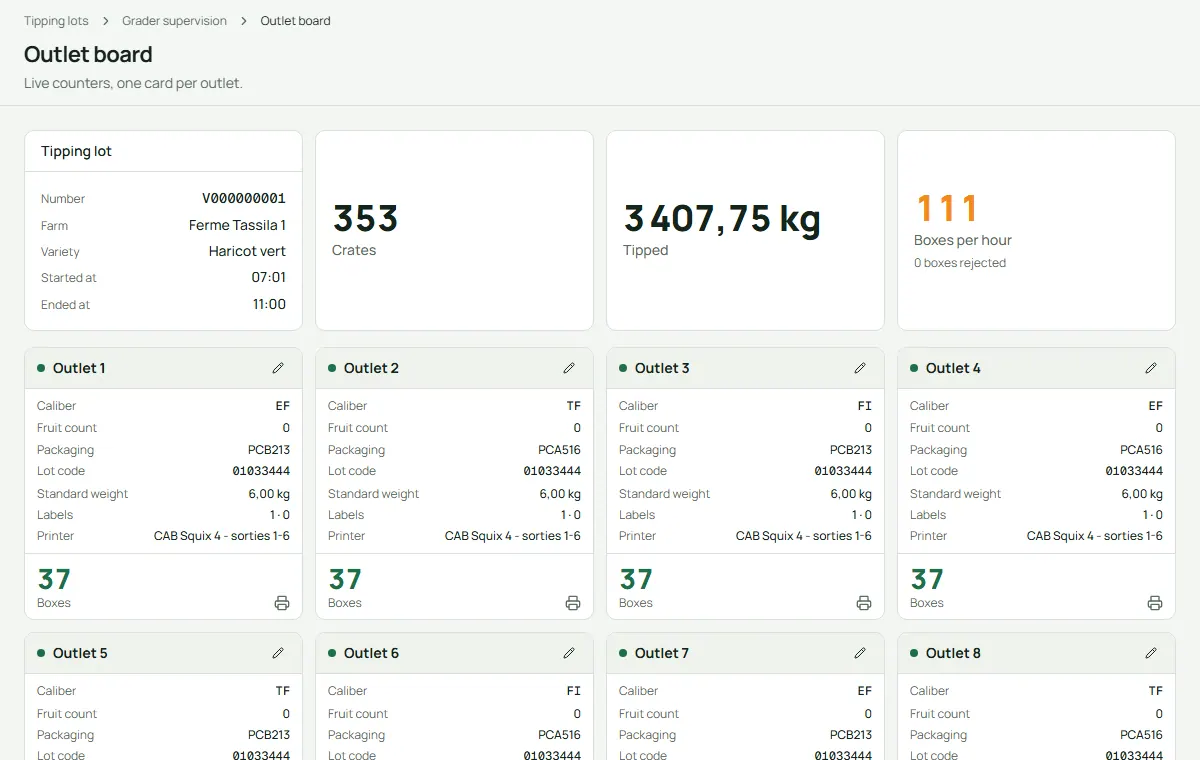
V000090004
The fruit is tipped onto the line and sorted by size. The grader board shows every outlet live: what it packs, for which brand, and how many boxes have come out.
C000032902
Each packer scans her badge at the outlet, then every box she closes gets its own label and number. Traceline knows who packed every box, which also pays piece work fairly.
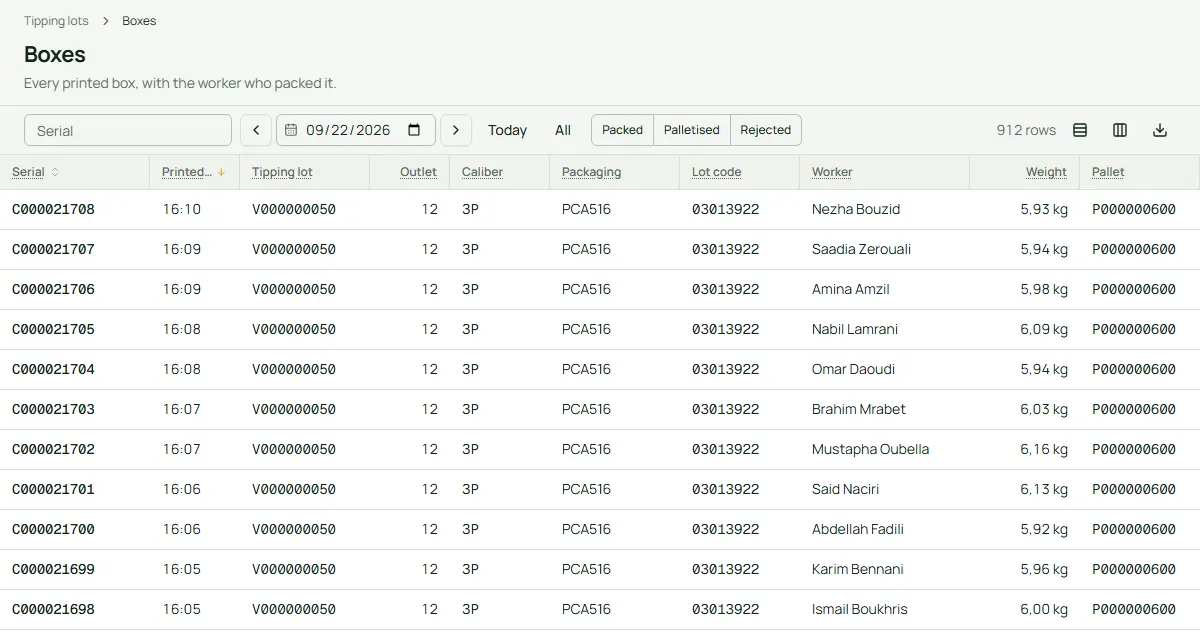
P000090037
Boxes are scanned onto a pallet. When it is complete, Traceline prints a pallet label with the international pallet code (GS1 SSCC) that your customer’s scanners read.
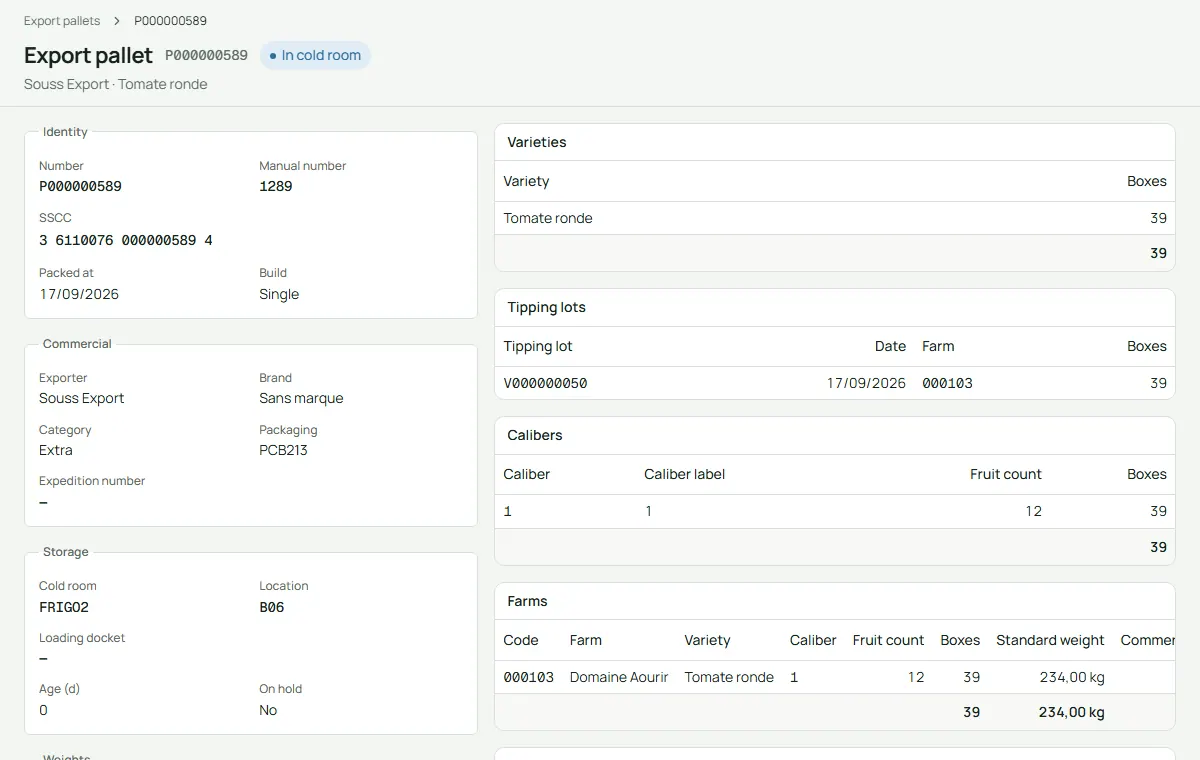
FRIGO1 A03
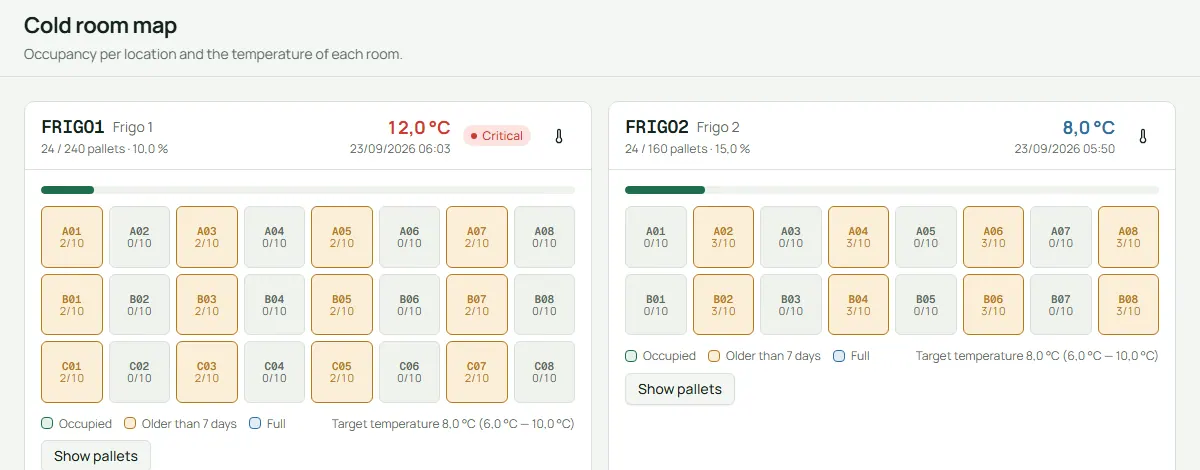
A map shows every cold room, every location and every pallet in it, with the latest temperature your staff typed in. If a temperature typed in is out of range, an alert goes out.
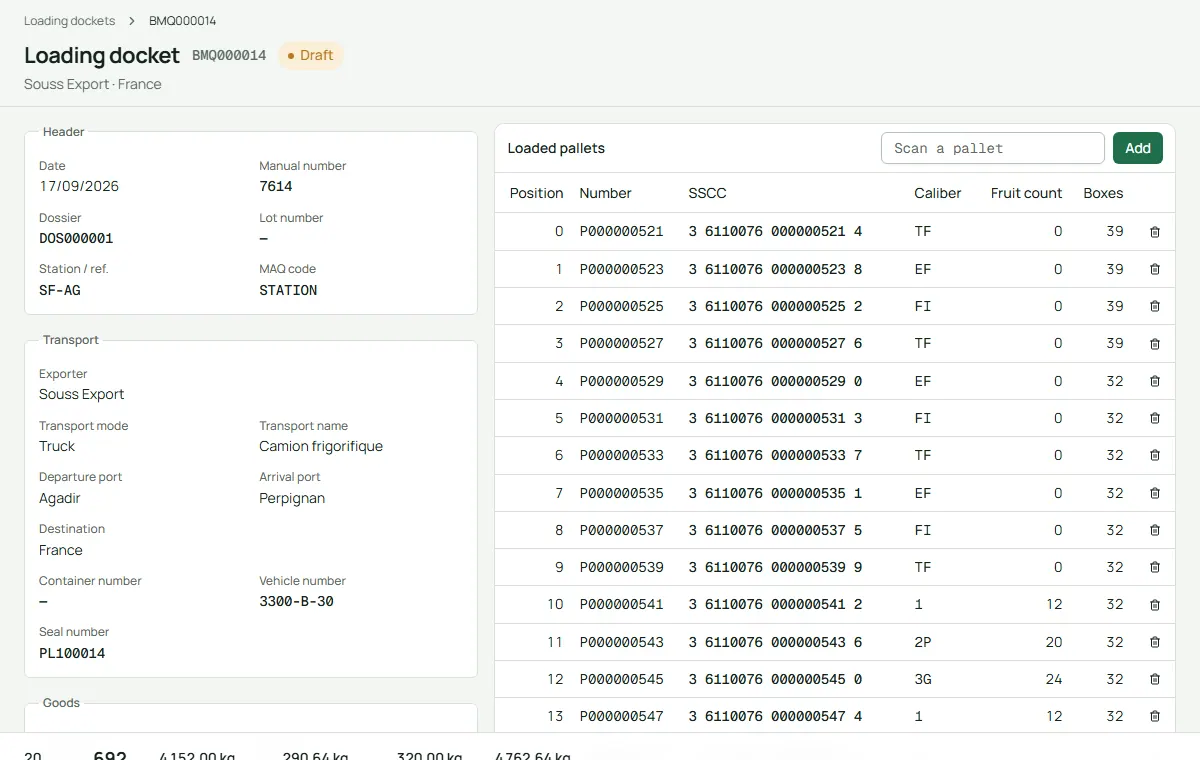
BMQ090004
Pallets are scanned onto the truck, the seal number is typed in, and the loading docket (BMQ) prints in the exporter’s language. On the road, the driver sends the truck’s position and types its temperature from a simple link on the phone.
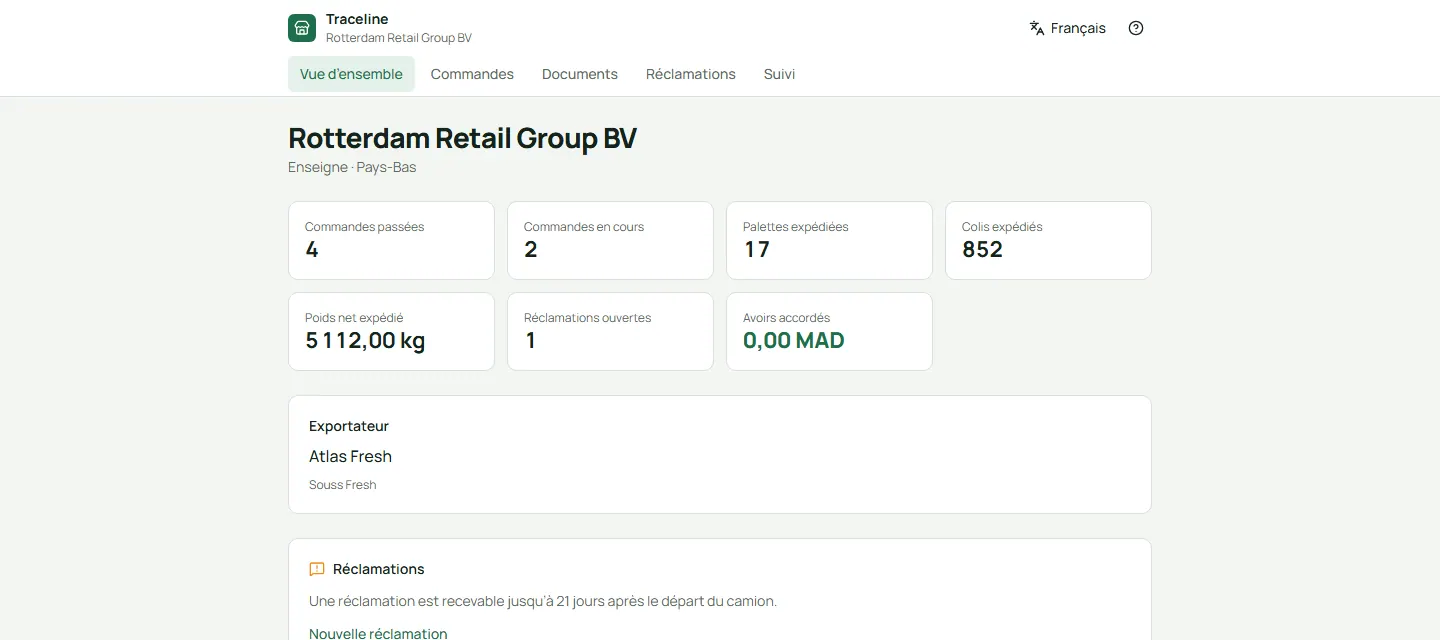
Your buyers have their own portal. They follow their shipments, download the docket, the packing list and the invoice, and check where a pallet came from.
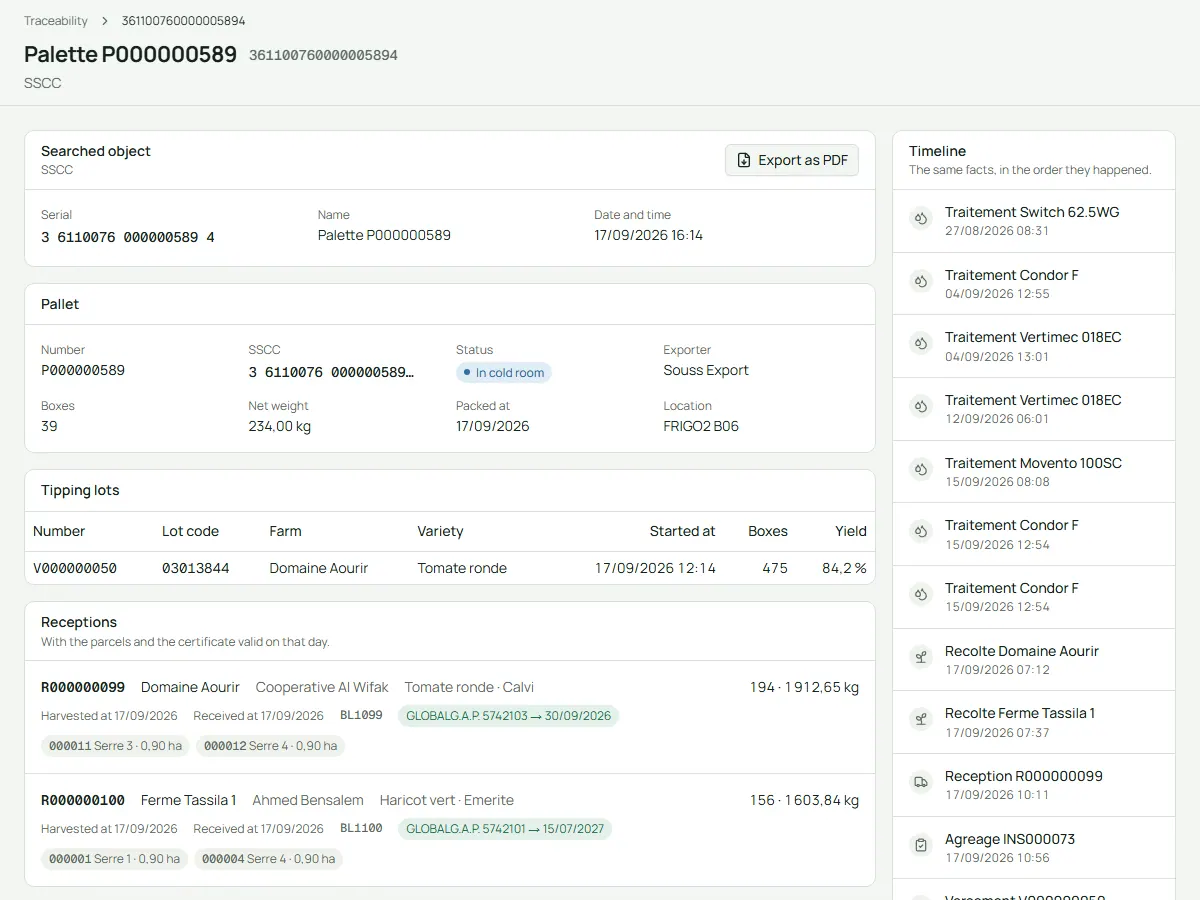
Scan or type any number from a label, a pallet or a loading docket. Traceline shows the whole story, from the farm to the truck.
One scan shows the farm and parcels, the sprays and their waiting periods, the quality checks, the cold room temperatures, the truck and the customer. Export it as a PDF for a customer or an inspector.
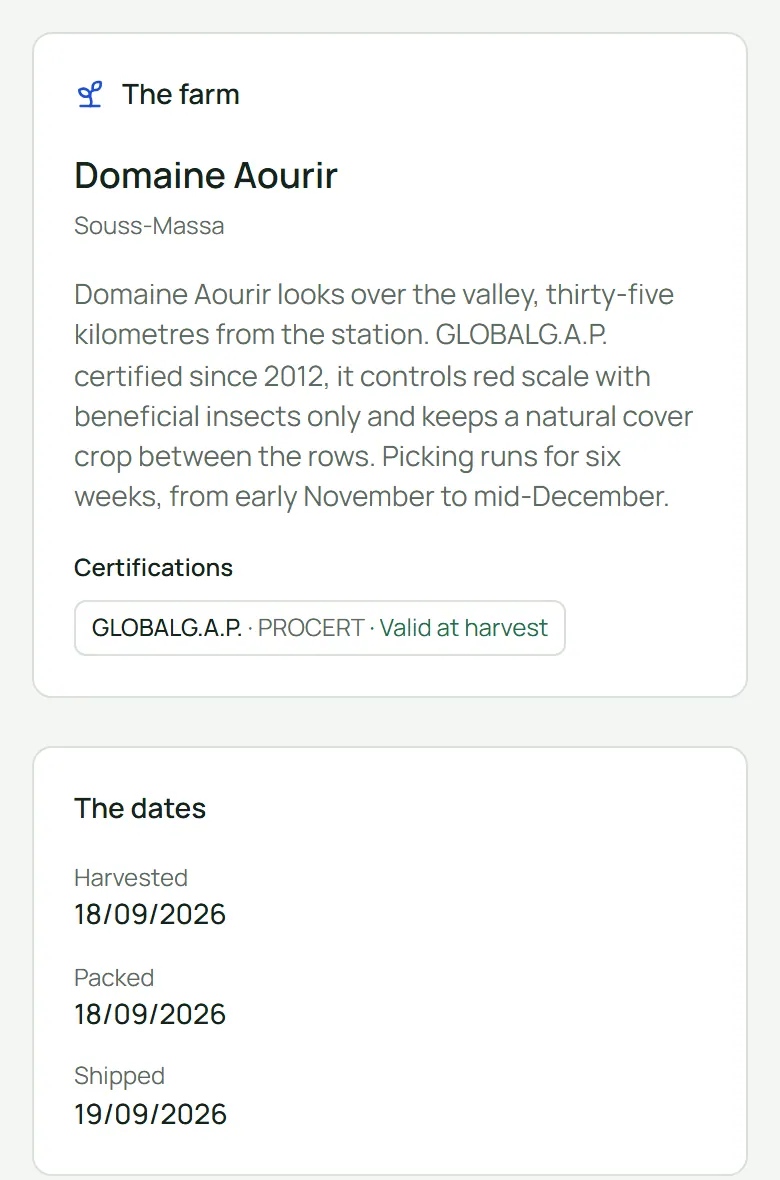
The QR code on box and pallet labels opens a page anyone can read on a phone, with no sign-in: the variety, the farm and its story, the dates and the cold chain. No names and no prices.
See the station, or all your stations, live from your desk or your phone.
The day’s flow line shows the tonnes received, graded and palletised, the pallets in the cold rooms and the trucks loaded. Around it: the export rate, boxes per hour, cost per kilo, the people present and the latest activity.
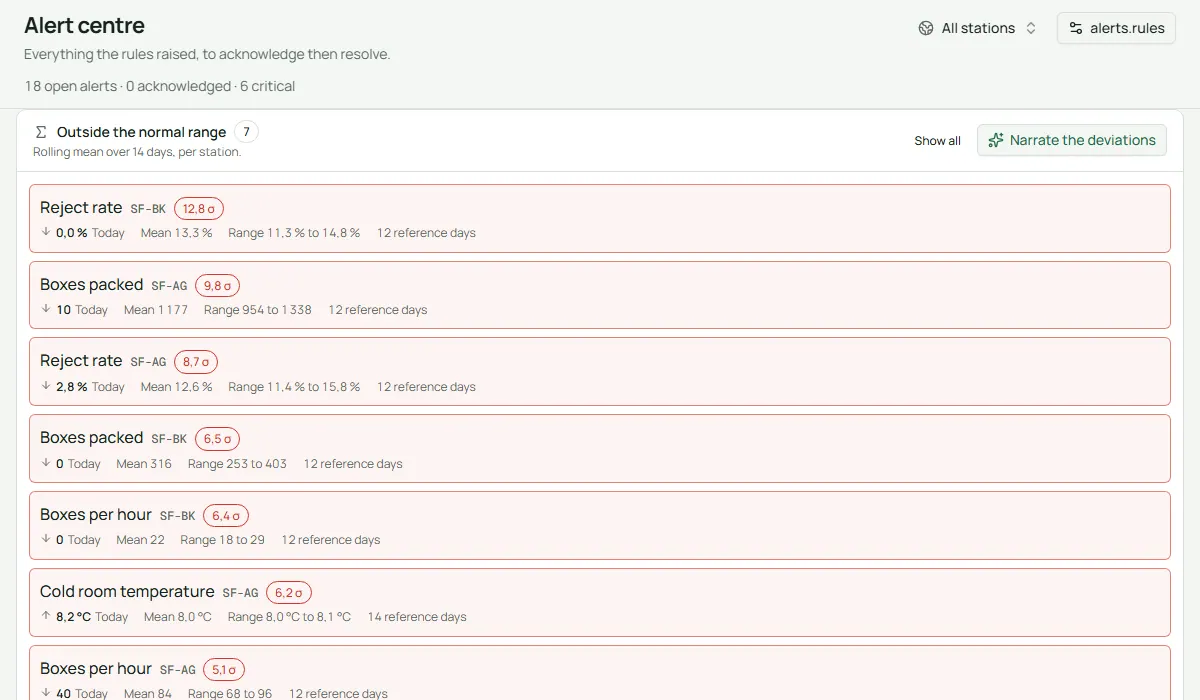
Traceline keeps watch: a cold room too warm, a line stopped, workers missing, a certificate about to expire, a truck waiting too long. With the AI turned on, a short briefing is ready every morning at 6.
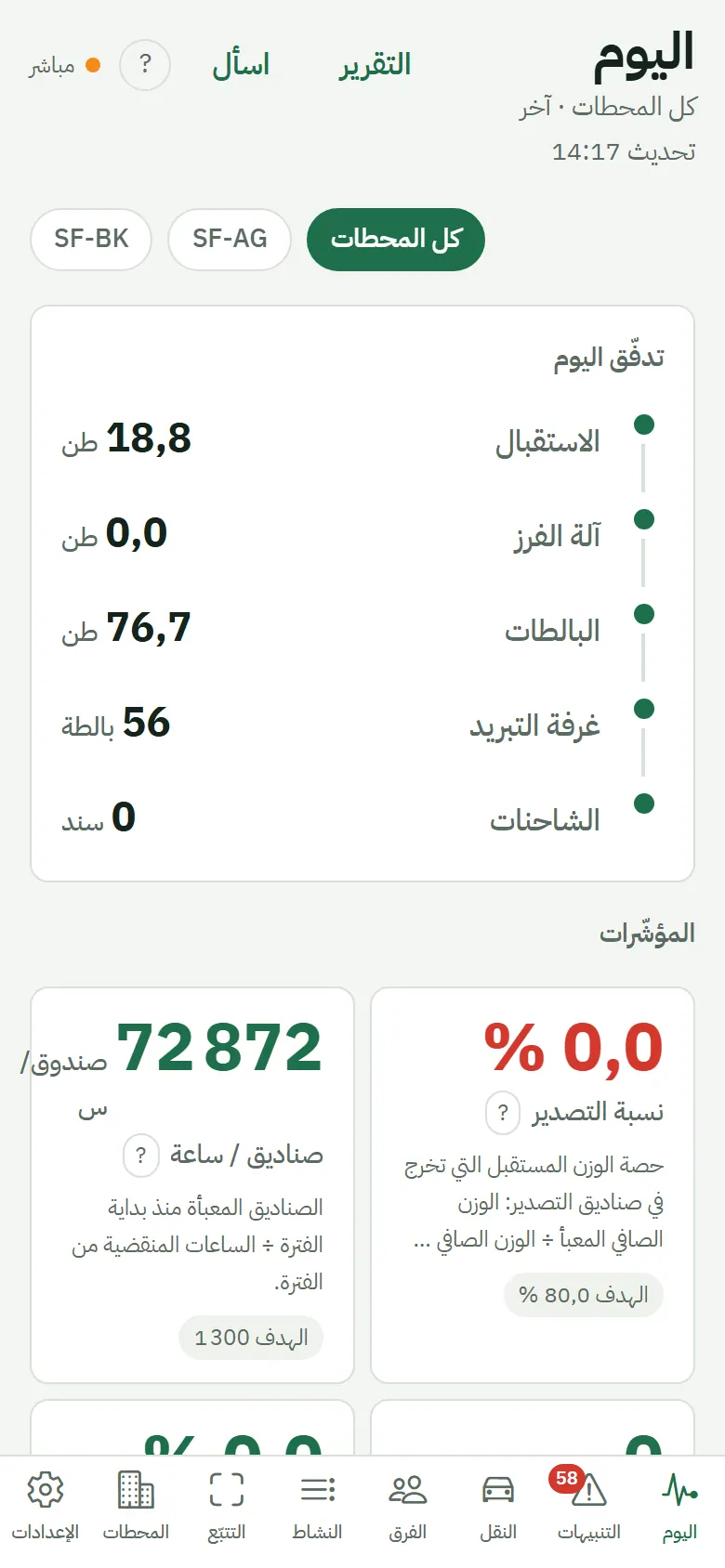
The owner app puts the day’s flow, the alerts, the trucks, the teams and the trace search in your pocket, in your language. Here it is in Arabic. It is available for Android phones.
From the badge at the gate to the payslip and the bank file, Traceline follows your workers’ day and pays them right, under Moroccan rules.
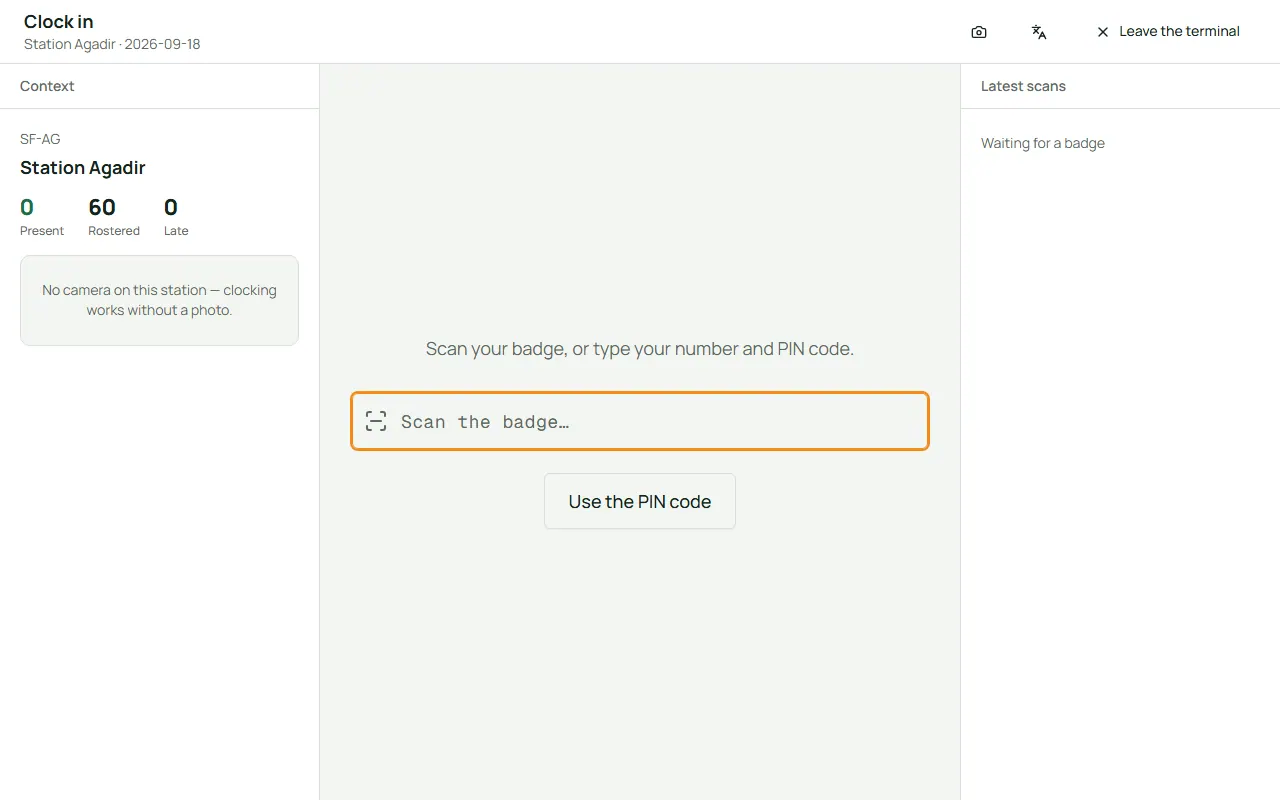
Workers scan their badge at the kiosk when they arrive and leave, and a photo can be taken at the same moment. The kiosk keeps working if the network drops.
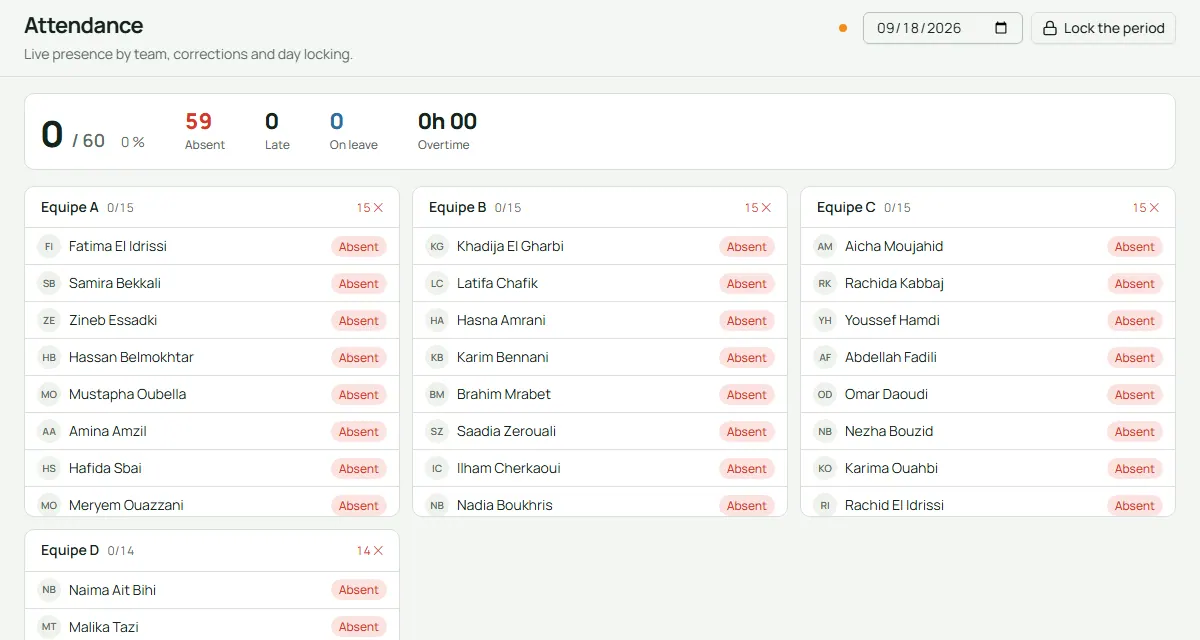
Who is present, absent, late or on leave, team by team, live. At the end of the month, the hours are checked and locked before payroll.
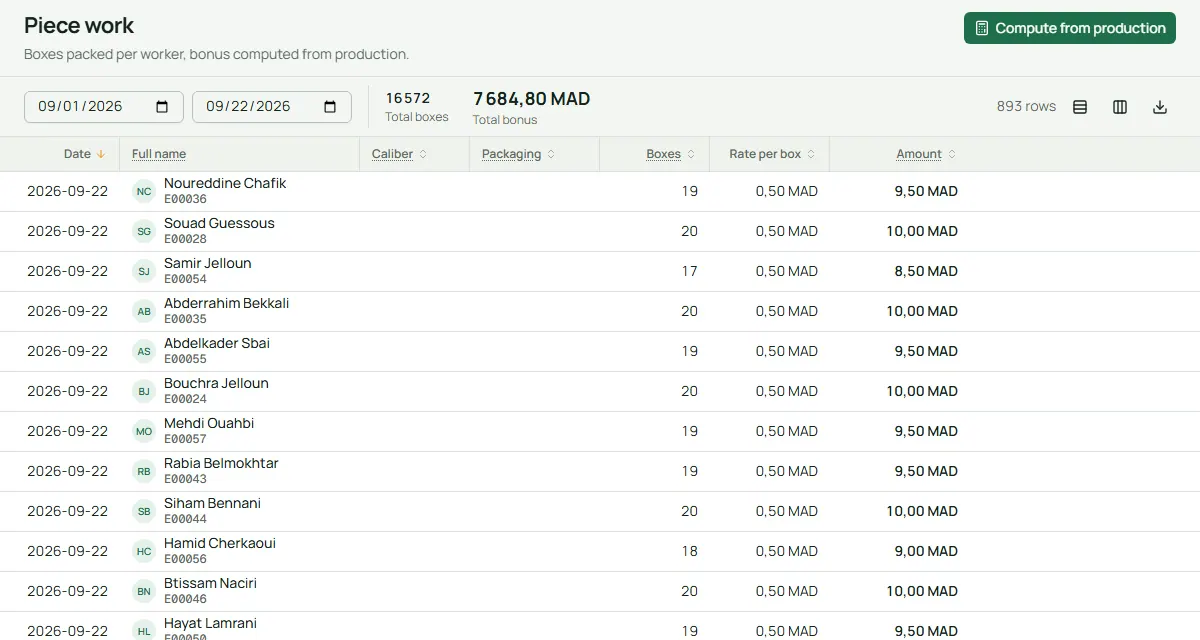
Because every box carries the packer’s badge, Traceline counts the boxes each person packed, by size and packaging, and turns them into pay with your rates.
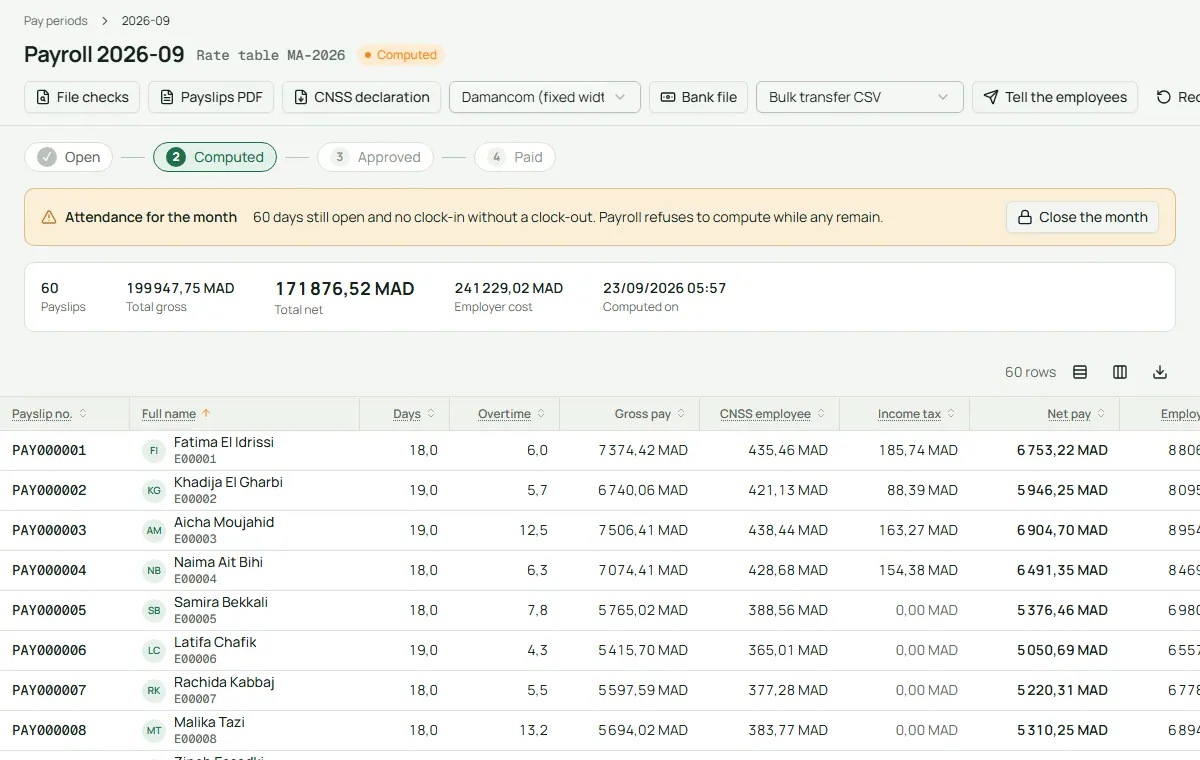
Traceline calculates the month for monthly, daily and seasonal workers: hours, overtime, piece work, CNSS, AMO and income tax (IR), with rates you can update.
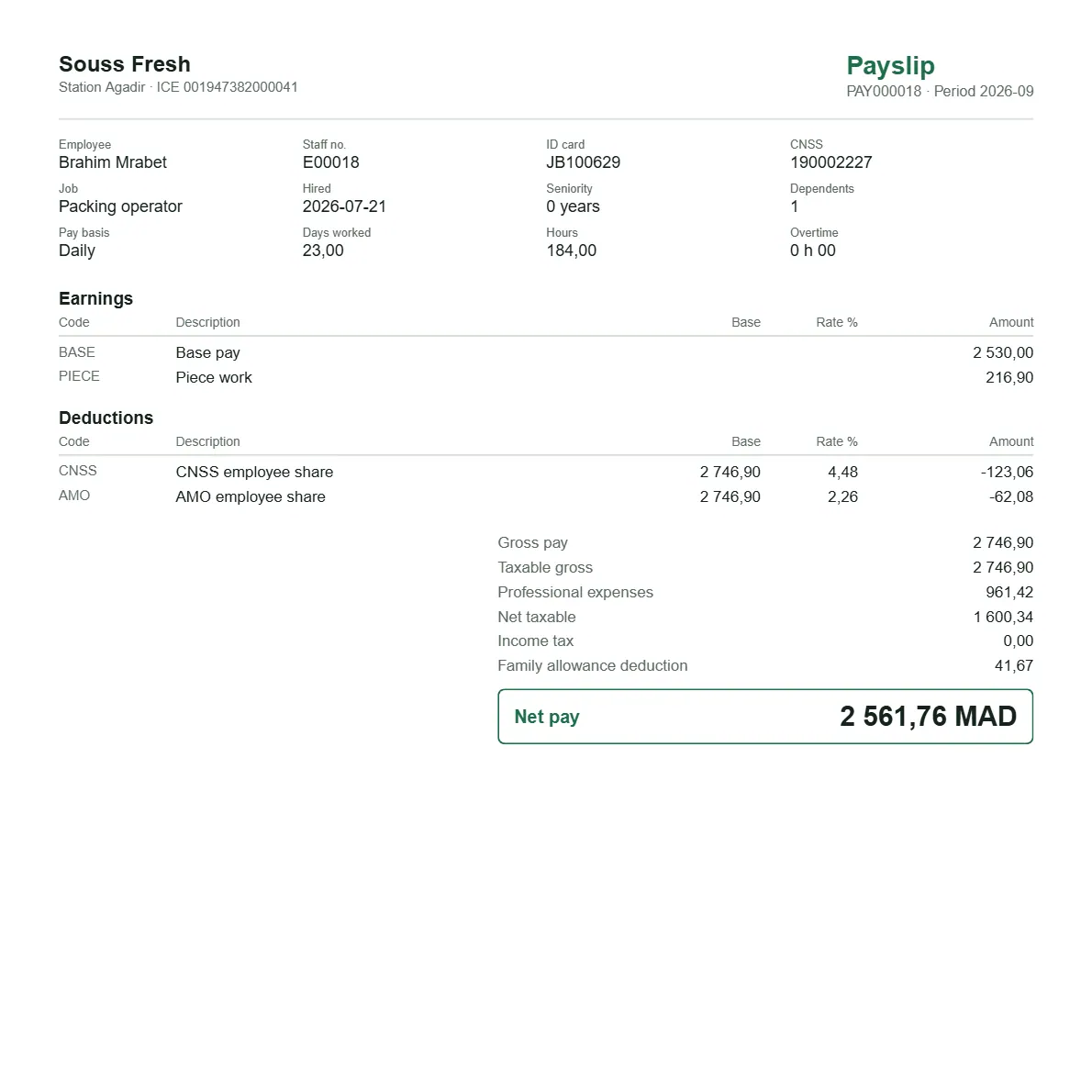
Each payslip is a clear PDF in the worker’s own language, French, English or Arabic, with every amount explained.
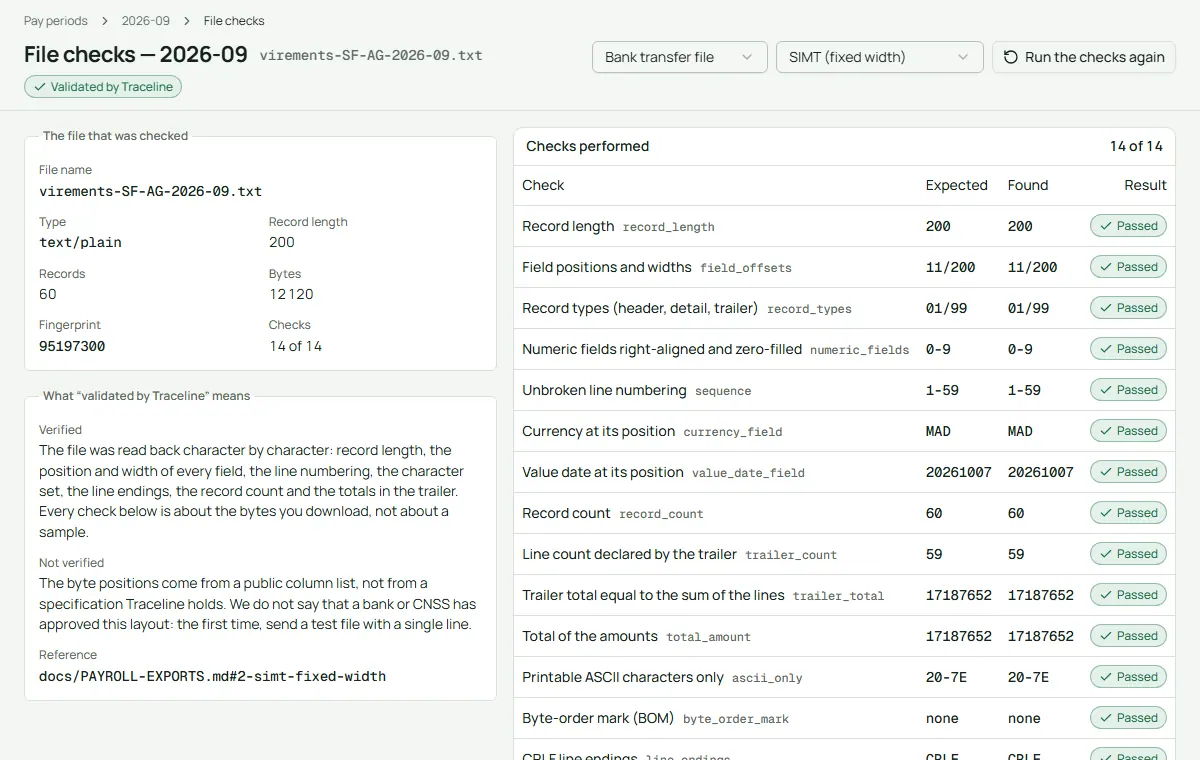
Traceline writes the bank transfer file and the CNSS declaration file, then checks every line before you send them: lengths, totals, account numbers.
Growers, customers, invoices, packaging, machines, costs, trucks and labels: the rest of the station’s business lives in the same place.
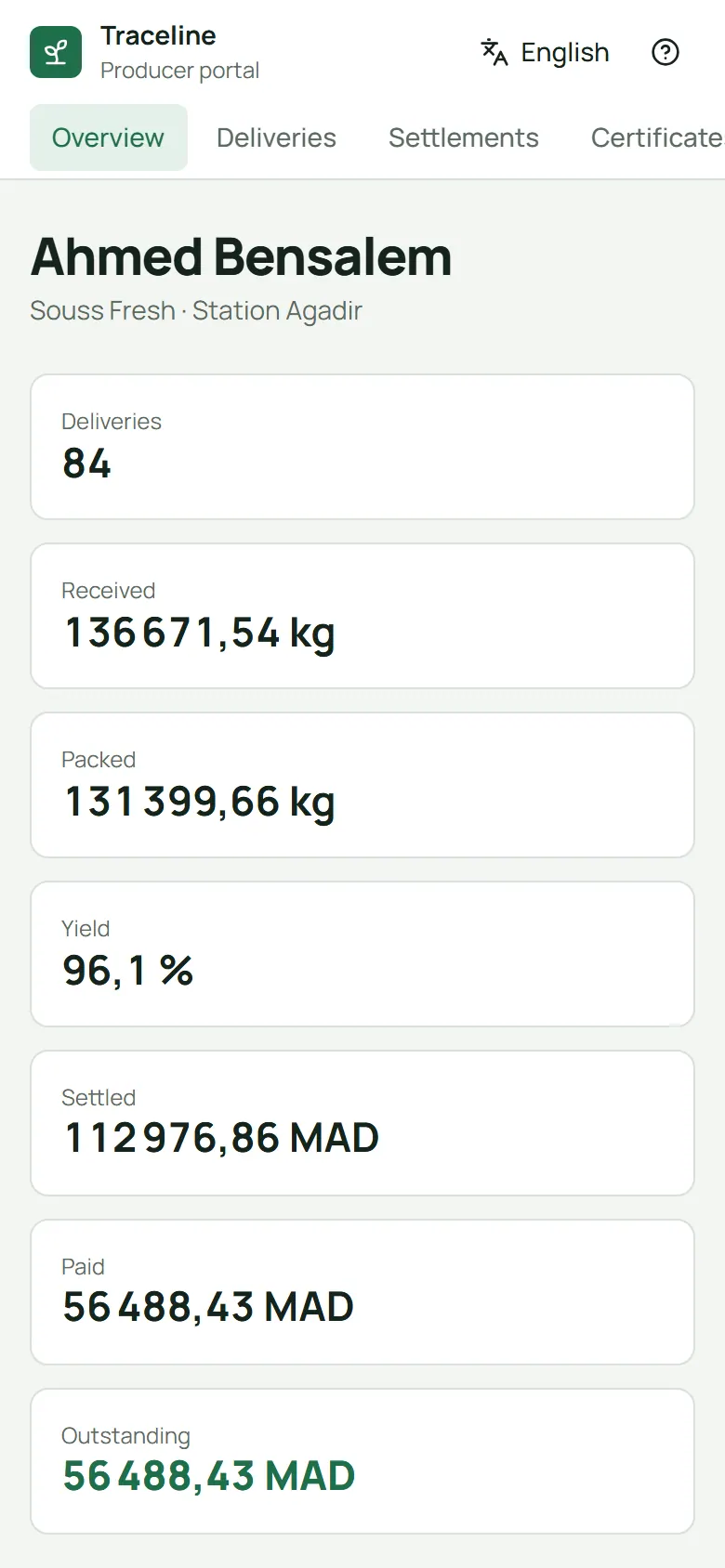
Growers see their deliveries, weights, quality results, settlements and payments on their phone, in their language. They can sign in with a link sent by WhatsApp, SMS or e-mail.
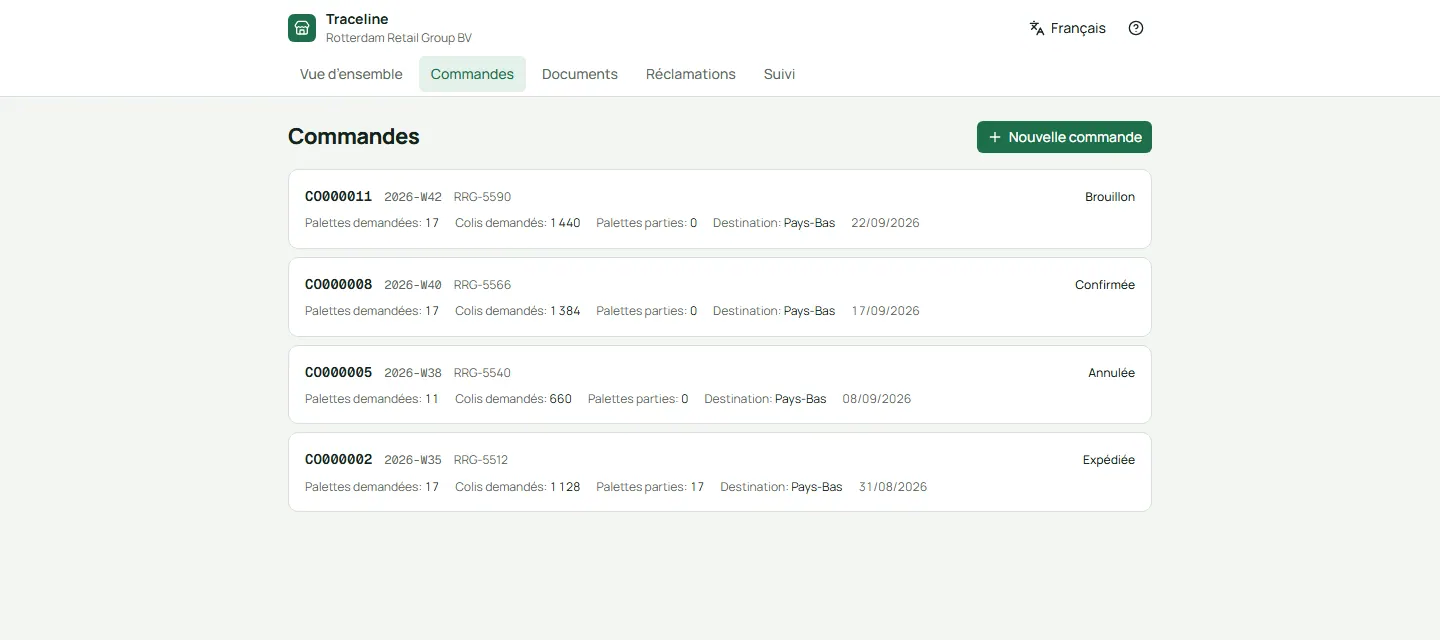
Customers order in pallets by variety, size and week, follow each order until it ships, and send a claim with photos if something is wrong. You answer from one inbox.
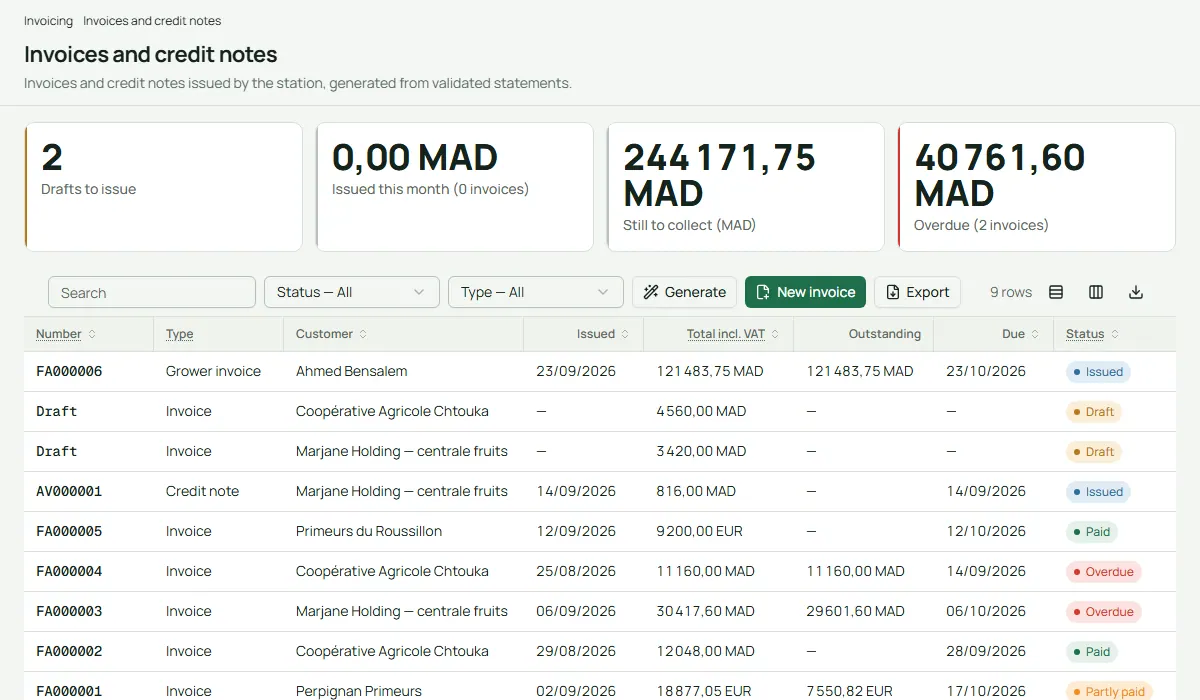
Invoices are drafted from validated sales statements and grower settlements, numbered without gaps, with Moroccan VAT rates. A monthly VAT draft is ready for your accountant.
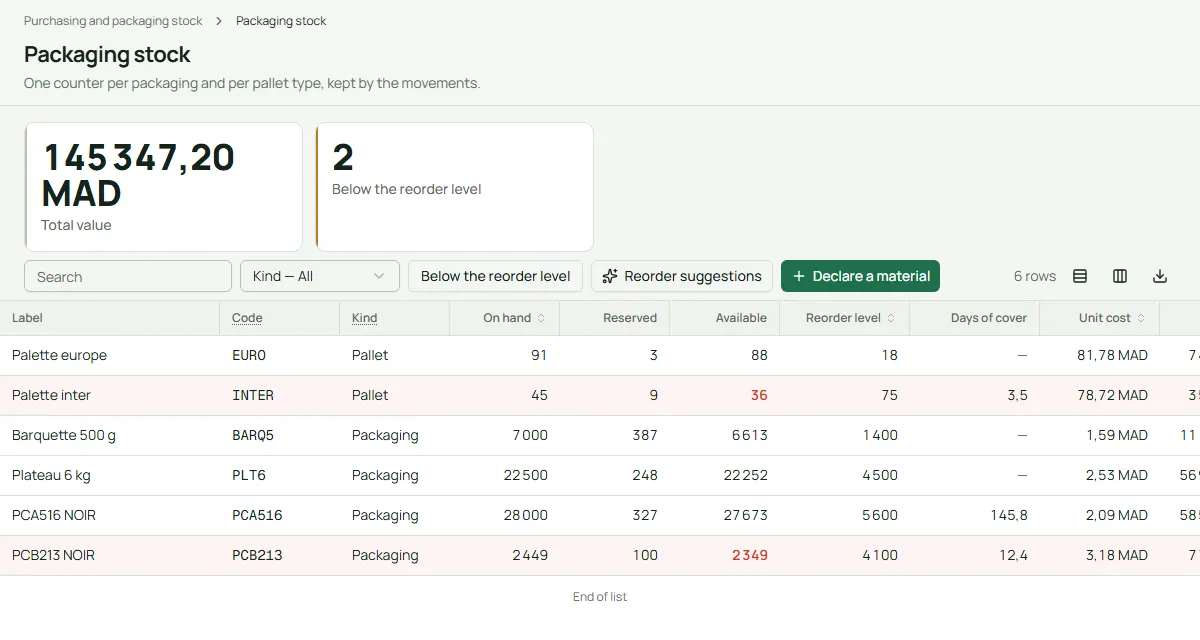
Cartons, trays, labels and pallets are counted as you pack. When stock runs low, Traceline suggests an order, and each purchase order is followed until it is received.
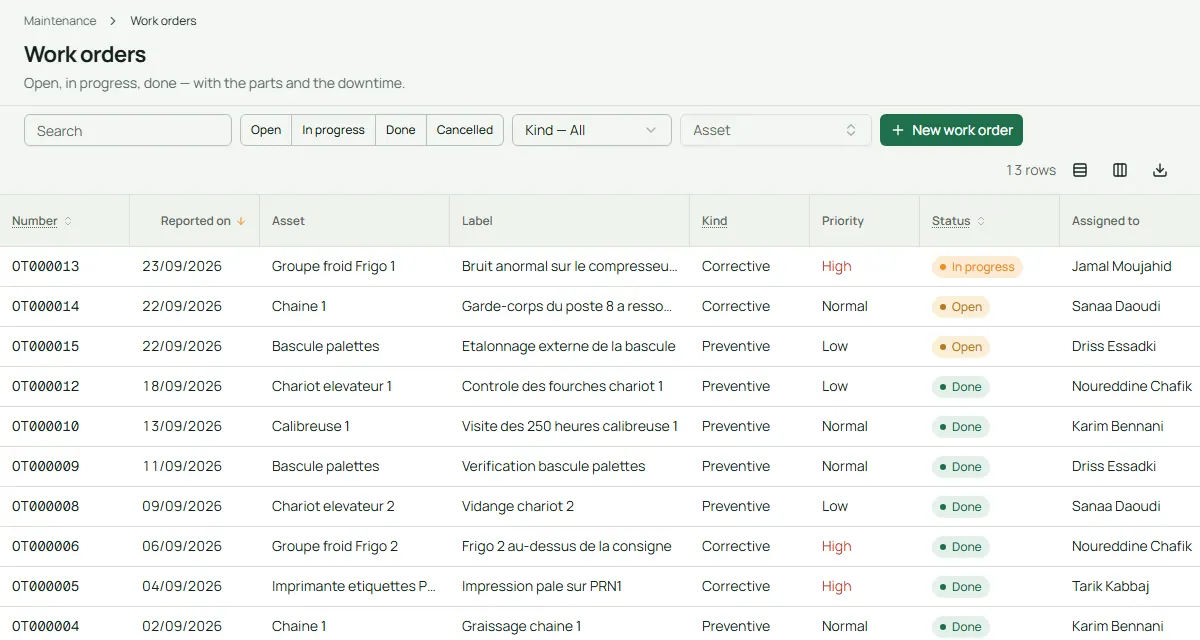
Graders, cold rooms, forklifts and printers each have their own record. Preventive work is planned by days or hours, and every repair notes its parts, cost and downtime.
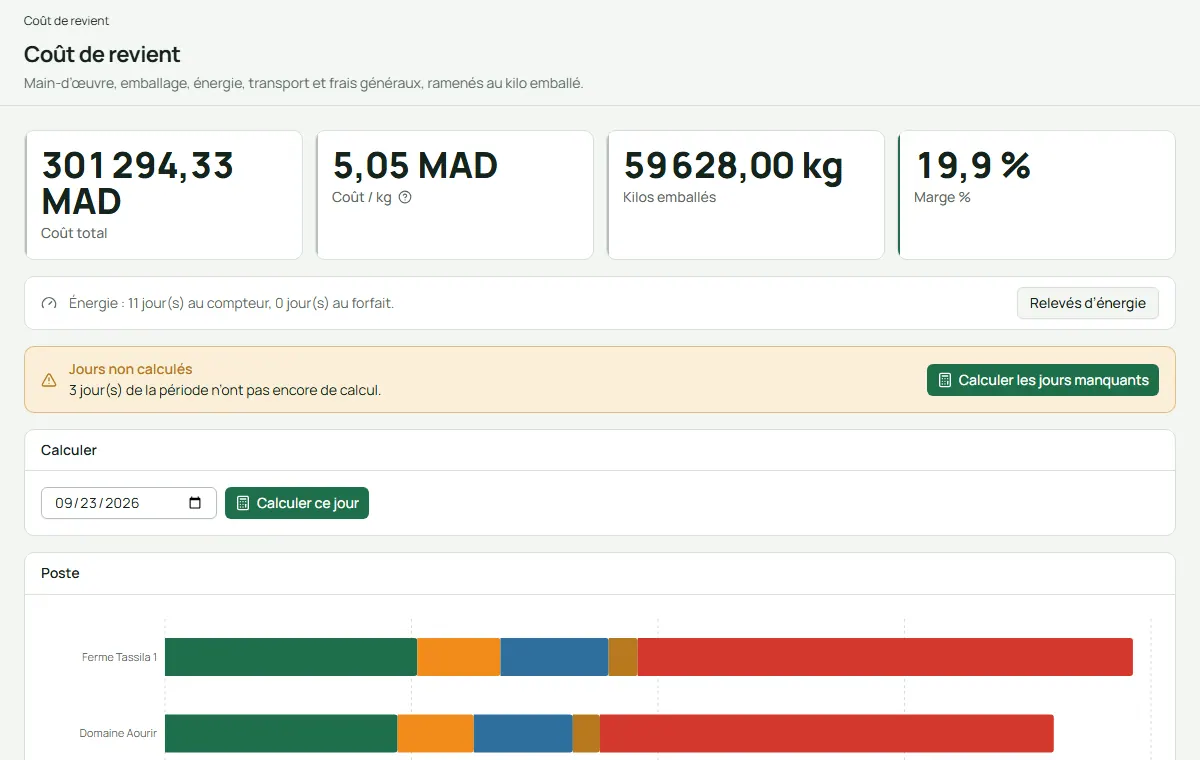
Traceline adds up labour, packaging, energy, transport and overheads, and shares them among the lots by packed weight. You see the real cost of each kilo and the margin.
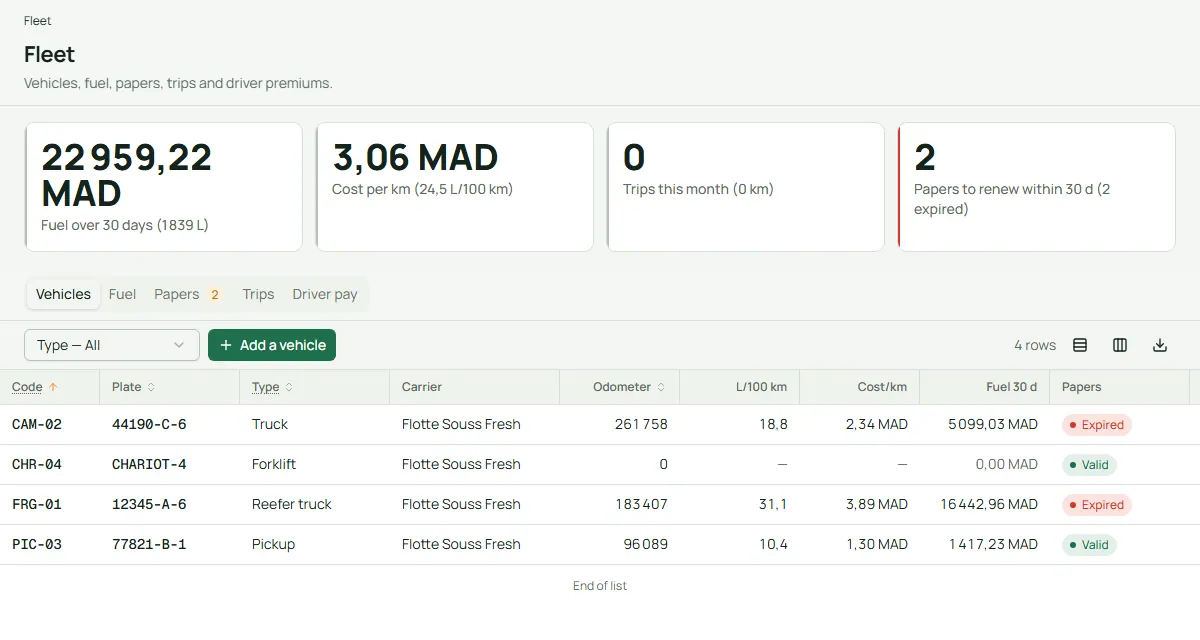
Your trucks, their fuel, their papers and your drivers’ trips. Traceline warns you before insurance or a technical inspection runs out, and works out driver pay.
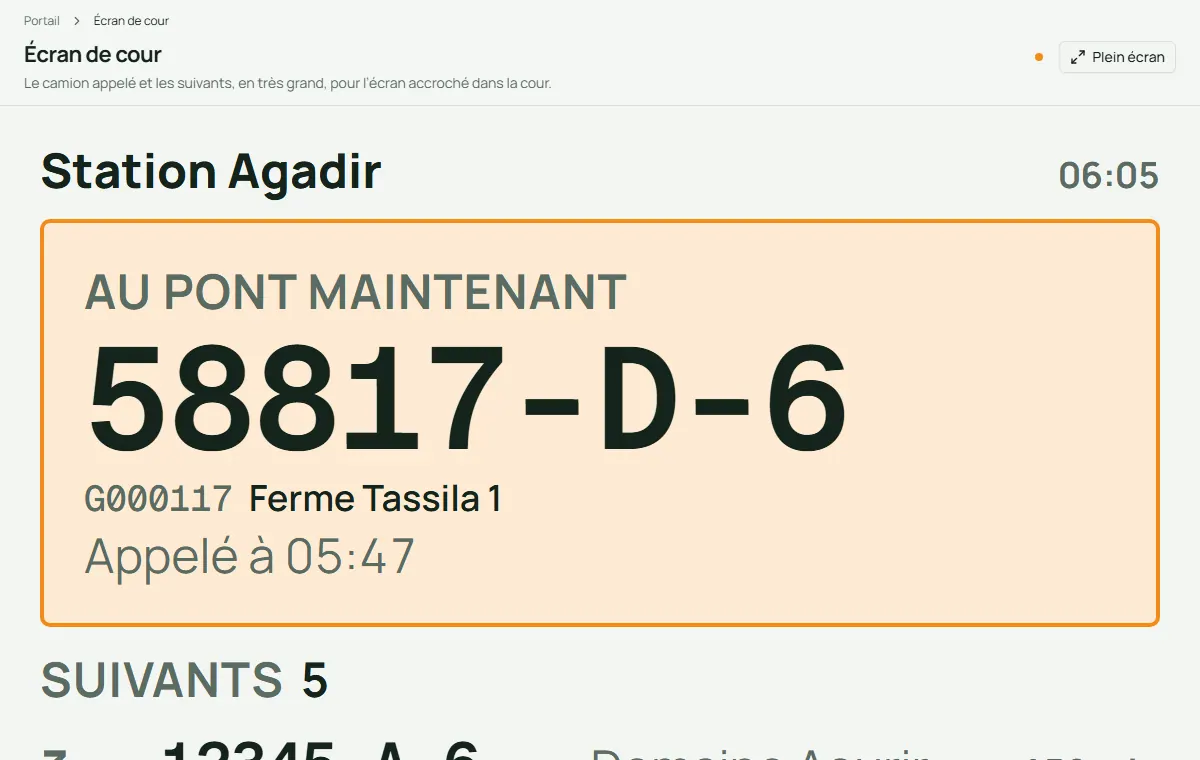
Trucks are registered at the gate in order of arrival. The next one is called to the weighbridge, by message if the driver has a phone, and a big yard screen shows who is on the scale and who is next.
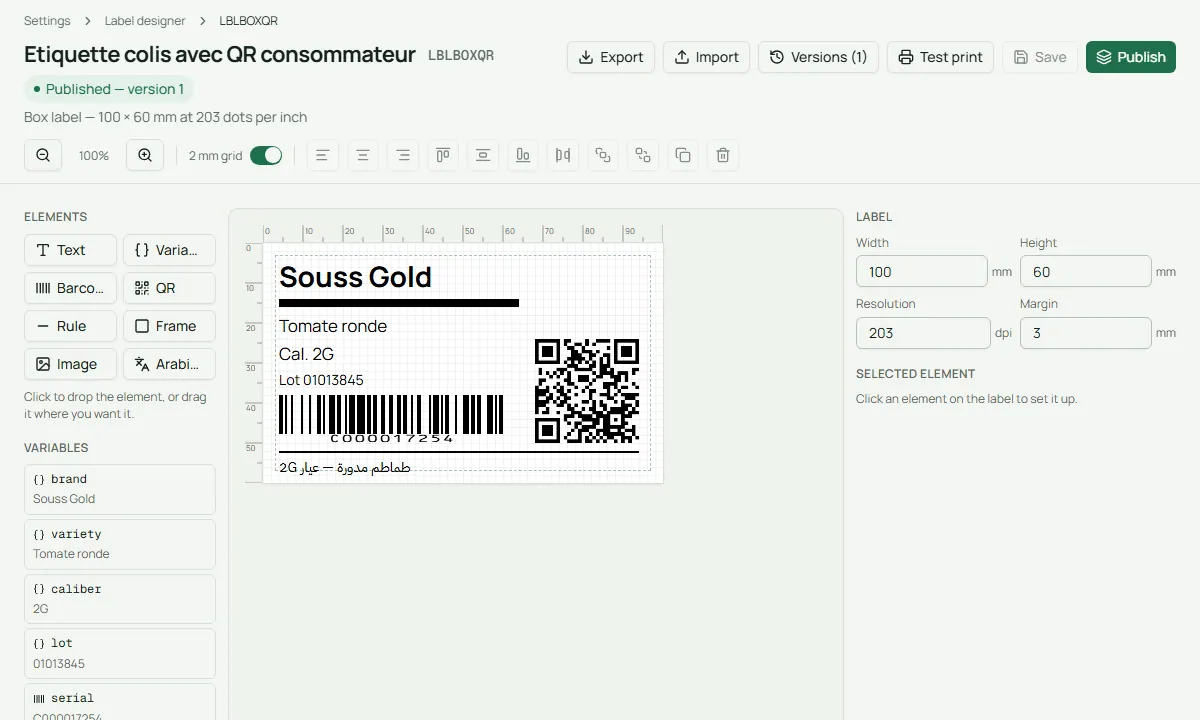
Draw your box and pallet labels yourself: text, barcodes, QR code, logo, even a line in Arabic, on a canvas in millimetres, with a live preview from a real box.
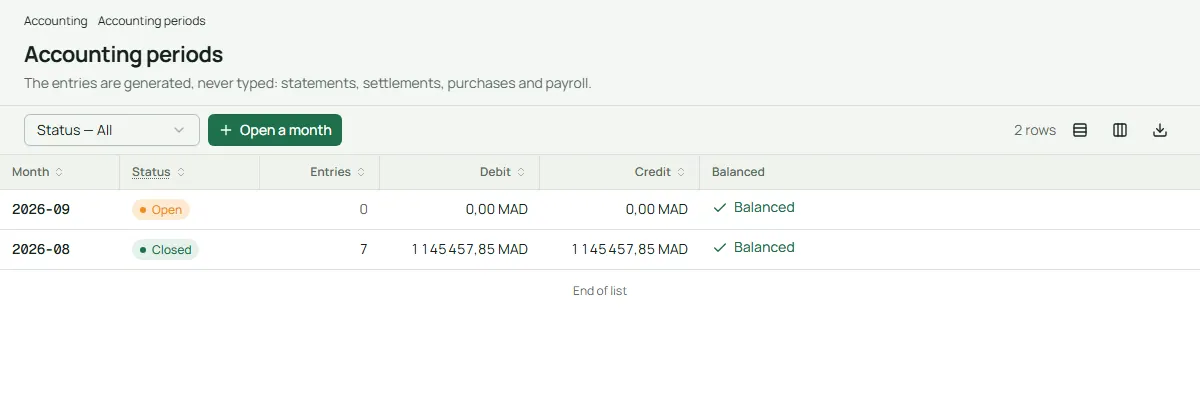
Traceline prepares the accounting entries from sales, settlements, purchases and payroll, and exports them for Sage, Odoo or a spreadsheet. Nothing exports unless it balances.
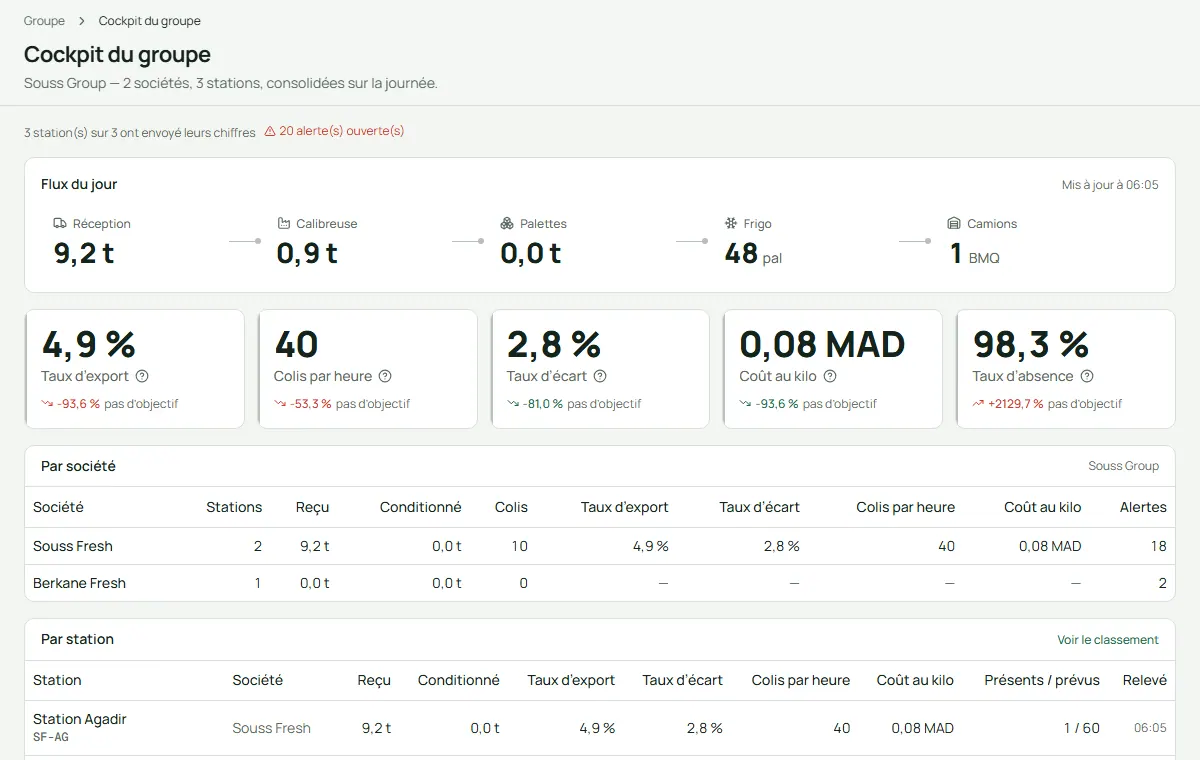
If you run several stations, see them together: one flow line for the group, and a league table that ranks each station on export rate, boxes per hour, rejects, cost per kilo and absence.
Made for a packing station in Morocco, its people and its pace.
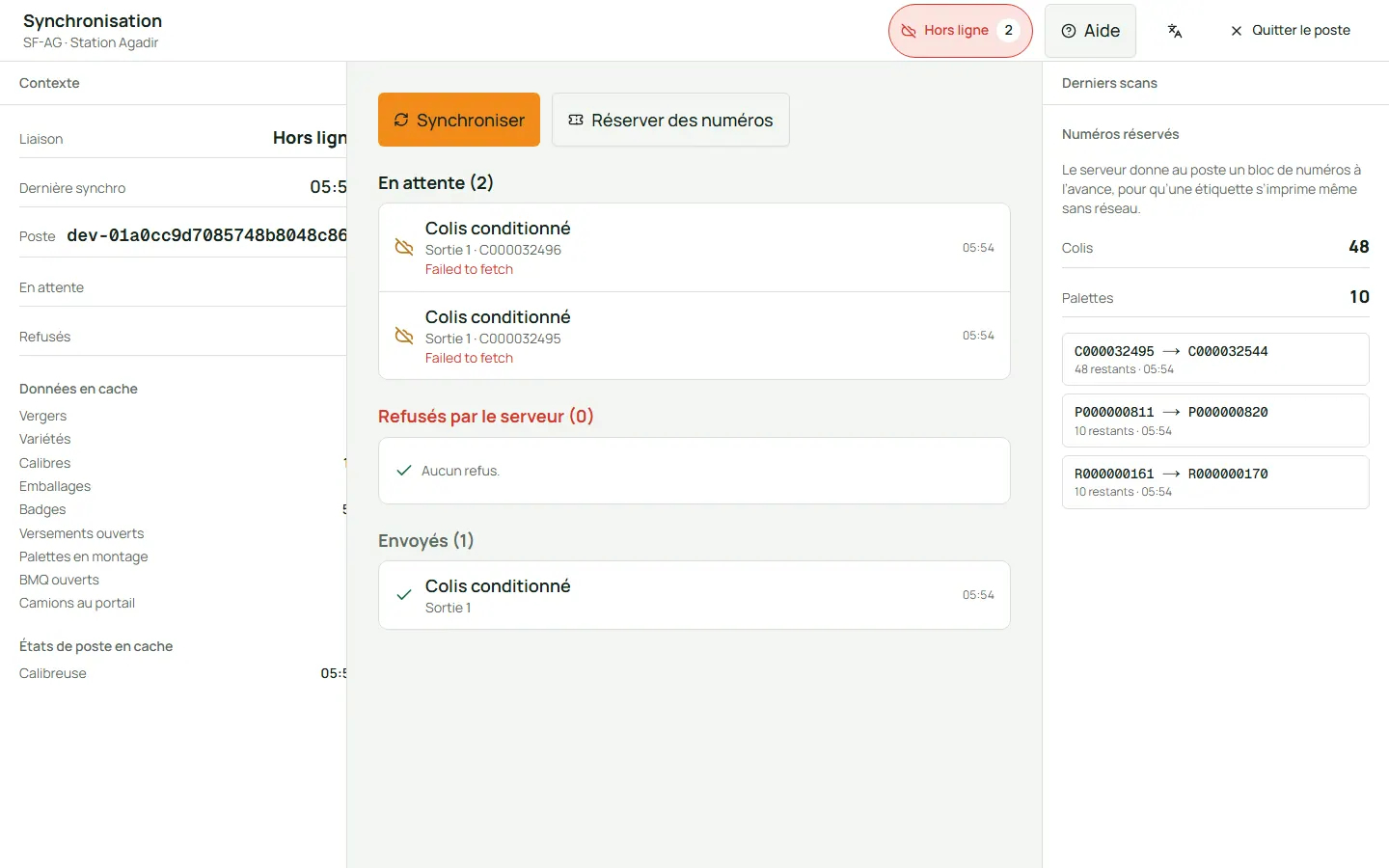
The weighbridge, the grader outlets, the pallet and loading posts, the badge kiosk and the gate carry on without the network. Labels print with numbers kept in reserve, and everything is sent once, in order, when the link comes back.
Measured in a ten-minute load test with the whole station working at once.
Measured on 21 September 2026, on one laptop running the whole system; 95 out of 100 operations were at or under these times.
Every screen, terminal, document and label exists in all three. Each person picks their own language, and Arabic reads right to left.
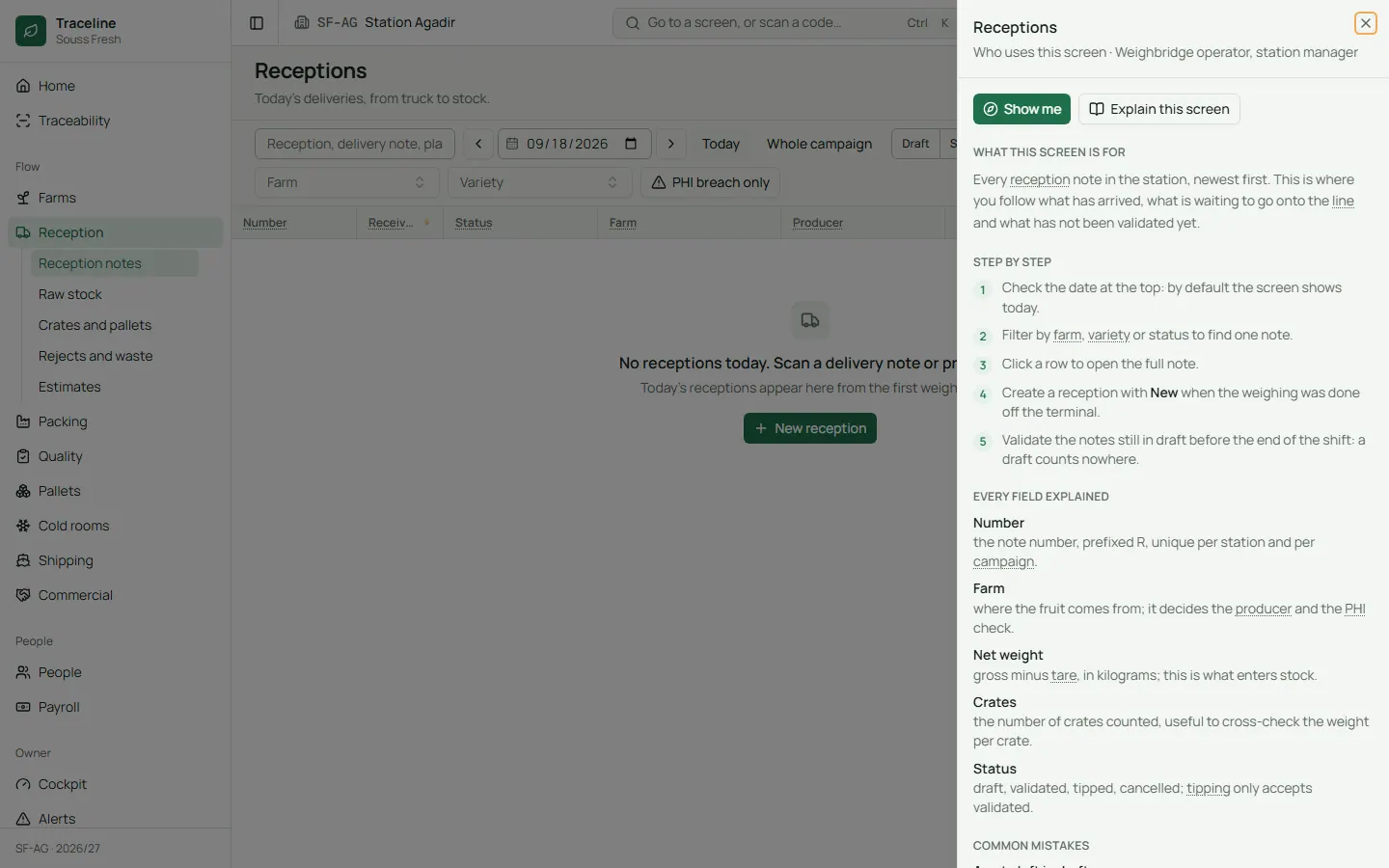
Press ? on any screen for a plain explanation: what it is for, step by step, every field and the usual mistakes. Guided tours show new staff around.
The AI helpers stay off until the owner turns them on. You choose the provider, even a model on your own server, you see what is sent before the first use, and nothing is saved until a person confirms.
Start with what you need. Each station turns modules on or off, such as payroll, fleet, invoicing or the gate, and what is off disappears from every screen.
Two-step sign-in by role, strong passwords, sessions you can close from afar, terminals limited to the station network, and a record of every change: who, when, before and after.
Install Traceline on a server at the station, so it keeps working when the internet is down, or on a cloud server. Backups run every night by themselves.
Export the files from your previous software as CSV or Excel. Traceline recognises the columns, shows a trial run line by line, and can undo an import.
Everyone sees the screens they need, in their own language, and nothing else.
Opens the cockpit or the phone app, reads the day’s flow line and the alerts, compares stations and checks the real cost per kilo.
Plans the day, watches the lines, deals with what the alerts raise, and validates the documents.
Calls the next truck, weighs it, counts the crates and prints the reception note, on a large touch screen that shows one step at a time.
Scans a badge at the outlet, closes each box and presses one button: the label prints. The boxes counted are their piece work.
Checks samples on arrival and before shipping, records defects with photos, holds a lot when needed, and answers customers with the trace tree.
Follows attendance by team, fixes missing scans, runs the monthly payroll and sends the bank and CNSS files.
Receives the invoices, the VAT draft and balanced accounting entries, ready for their own software.
Follows deliveries, quality results, settlements and payments from a phone, and enters harvest forecasts.
Places orders, follows the shipments, downloads the documents and checks where a pallet came from.
Plain answers to the questions owners and managers ask before they start.
Not for the work inside the station. Traceline can run on a server at the station, so the station’s own network is enough. If even that network drops, the terminals keep working and catch up later. The internet is only needed for the grower and customer portals, the phone app away from the station, messages and the optional AI.
Yes. Every screen, the terminals, the badge kiosk, the payslips and the help are in Arabic, right to left, with the words used in Moroccan packing stations. Each person picks their own language: French, English or Arabic.
The printers screen shows each printer by its post: in service, jammed, out of paper or offline, with its queue. Fix it, clear the queue and send a test label. Meanwhile you can point the outlet to another printer, and a damaged label can be reprinted from the box record.
Yes. Each station switches modules on and off. You can start with reception, packing, pallets and shipping, then add people, payroll or invoicing when you are ready. What is off is hidden everywhere.
Sign-in can require a second step on the phone, passwords are checked against lists of leaked passwords, and every change is recorded with who made it. Backups run every night and can be copied off site. If Traceline runs on your station server, your data stays with you.
Yes. Export your growers, farms, varieties, packaging, staff and past documents from your previous software as CSV or Excel files. Traceline reads them, shows a trial run with any problems line by line, and can undo an import.
Yes. Owners have an Android app. Growers and customers use their portal in any phone browser, and the cockpit has a phone layout. The terminals are made for touch screens and tablets.
No. Everything works without it. The AI helpers are off until the owner turns them on, one by one, and nothing they suggest is saved until a person confirms.